Week 8: Web Technologies

Gatewood, 2018

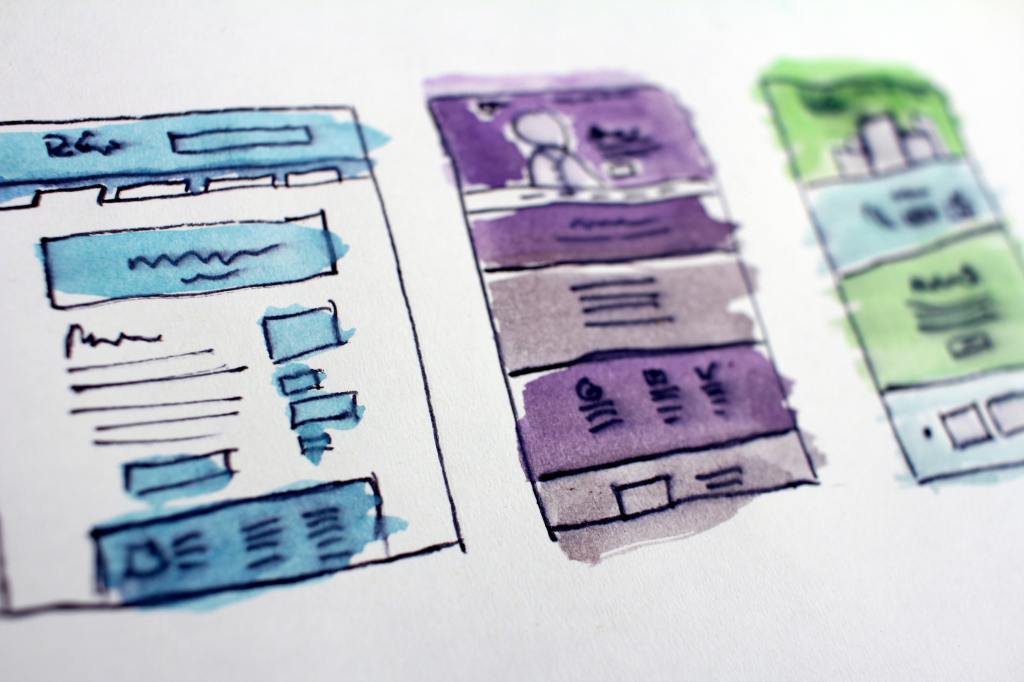
I implemented a number of web development recommendations as suggested by Piola (2018) and Gambrell (2015) in the creation of my website. First, both Piola (2018) and Gambrell (2015) suggest including a prominent search bar on every webpage. I included a box to search the library website on the footer of all webpages, as well as a button link at the top center of every webpage to search the library catalogue. This ensures users can easily find information through the website and the library catalogue. Piola (2018) also suggests designing a search bar that toggles between the library catalogue and website. While I hoped to include this feature, this was not possible due to limitations using free WordPress software. Second, both authors recommend the use of jargon-free text. This was implemented on each webpage. Plain text was used over technical language and the collection was described in terms of general services and resources offered (such as e-books, talking books, DVDs and streaming etc.). This was done to ensure users clearly understand what our library offers. Third, it is vital to have a vision (Gambrell, 2015). My website contains a clearly defined mission statement that communicates our values and goals to our stakeholders and users (Ebenezer as cited in Al-Qallaf & Ridha, 2019).

Fourth, navigation should be kept simple with a maximum of 5 to 6 main navigation items (Gambrell, 2015). On my website there are 6 main navigation sections displayed using top-level navigation. This was implemented to ensure users are easily able to access important information such as the events calendar and contact details. Fifth, Gambrell (2015) suggests that the homepage should act as the main access point to the rest of the website. I implemented this recommendation by minimising clutter and using the homepage as an opportunity to highlight the website features offered (with a brief description) of each section. Sixth, website accessibility is vital to reach users with disabilities (Gambrell, 2015). I used alternative text tags on linked images (Scheeren, 2015), included descriptive text alongside image links (Sutton, 2017) and descriptive page titles (Comeaux, 2017) to cater to those with learning disabilities. Furthermore, the use of top-level navigation ensures the website is compatible to users with screen readers (Yoon, Hulscher & Dols, 2016). Overall, my website was designed to be accessible to as many users as possible.

References

Al-Qallaf, C. L., & Ridha, A. (2019). A Comprehensive Analysis of Academic Library Websites: Design, Navigation, Content, Services, and Web 2.0 Tools. International Information & Library Review, 51(2), 93–106. Retrieved from https://doi.org/10.1080/10572317.2018.1467166

Comeaux, D. J. (2017). Web Design Trends in Academic Libraries-A Longitudinal Study. Journal of Web Librarianship, 11(1), 1–15. Retrieved from https://doi.org/10.1080/19322909.2016.1230031

Gambrell, K. (2015). 7 best practices for creating a user friendly library website. Retrieved from https://www.ebsco.com/blog/article/7-best-practices-for-creating-a-user-friendly-library-website

Piola. (2018). 8 tips to improve your library’s website design. Retrieved from https://meetpiola.com/8-tips-to-improve-your-librarys-website-design/

Scheeren, W. O. (2015). School Library Websites. In Technology Handbook for School Librarians (pp. 150-161). Portsmouth: ABC-CLIO. Retrieved from https://ebookcentral.proquest.com/lib/unisa/reader.action?docID=2098544&ppg=182#

Sutton, H. (2017). Follow 5 steps to create elegant, accessible web design. Student Affairs Today, 20(2), 7. Retrieved from https://doi.org/10.1002/say.30333

Yoon, K., Hulscher, L., & Dols, R. (2016). Accessibility and Diversity in Library and Information Science: Inclusive Information Architecture for Library Websites. The Library Quarterly, 86(2), 213–229. Retrieved from https://doi.org/10.1086/685399

Image Attribution

Gatewood, H. (2018). Assorted-color abstract painting. Unsplash. Retrieved from https://unsplash.com/photos/tZc3vjPCk-Q
Week 6: Web Design

State Library of Western Australia, 2019

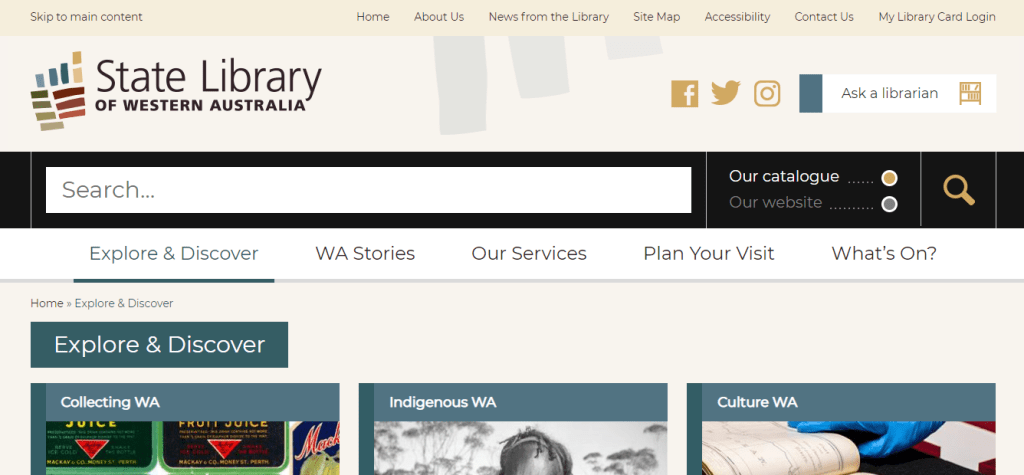
I chose to examine the State Library of Western Australia website located at: https://www.slwa.wa.gov.au/

The website uses a mixture of organisation schemes. The “WA Stories” tab uses an ambiguous or more specifically a topical organisation scheme by subject. The “Our Services” tab uses a task-oriented functional scheme as well as an audience specific scheme (e.g. researchers/teachers/families). The “Explore & Discover” tab incorporates a topical scheme by subject, a functional task-oriented scheme as well as an audience specific scheme. Under each tab it would be beneficial to choose one type of organisation scheme to maintain the integrity of the section and reduce confusion among users. Furthermore, the website structure is hierarchical as each tab contains multiple levels that users can go up and down to access.

The website adheres to some of the W3C web accessibility guidelines with a text equivalent under important images, changeable text size and clear natural language use (Web Accessibility Initiative, 2019). Users also have the ability to translate the text into another language. However, the website does not have captions for videos.

The overall design is good, clear and simple with large font (Al-Qallaf & Ridha, 2019) and the colour scheme is consistent with contrasting colours and ample white space (Scheeren, 2015). However, the homepage is quite cluttered with a lot of images/tabs/sections. That being said, text content is kept to a minimum with only the critical information underneath each tab and/or image. The toggle search bar is big and consistent at the top of each page, Web 2.0. technologies (Facebook/Twitter/Instagram) are present (Scheeren, 2015), and there is a “skip to main content” bar located in the top panel which allows users to skip sections that are not relevant to them (Yoon, Hulscher & Dols, 2016). This is particularly useful for patrons using screen readers (Yoon et al., 2016).

In order to improve this website it would be useful to add a chat box function to increase engagement between users and the library, ensure organisation schemes are consistent under each tab to reduce user confusion, and declutter the homepage by removing duplicate content. For instance, on the homepage there is a “What’s On” tab followed by a “What’s On” slideshow reel at the bottom right-hand side of the webpage.   

References

Al-Qallaf, C. L., & Ridha, A. (2019). A Comprehensive Analysis of Academic Library Websites: Design, Navigation, Content, Services, and Web 2.0 Tools. International Information & Library Review, 51(2), 93–106. Retrieved from https://doi.org/10.1080/10572317.2018.1467166

Scheeren, W. O. (2015). School Library Websites. In Technology Handbook for School Librarians (pp. 150-161). Portsmouth: ABC-CLIO. Retrieved from https://ebookcentral.proquest.com/lib/unisa/reader.action?docID=2098544&ppg=182#

State Library of Western Australia. (2019). State Library of Western Australia. Retrieved from https://www.slwa.wa.gov.au/

Web Accessibility Initiative. (2019). How to meet WCAG (Quick Reference). Retrieved from https://www.w3.org/WAI/WCAG21/quickref/ Yoon, K., Hulscher, L., & Dols, R. (2016). Accessibility and Diversity in Library and Information Science: Inclusive Information Architecture for Library Websites. The Library Quarterly, 86(2), 213–229. Retrieved from https://doi.org/10.1086/685399

Yoon, K., Hulscher, L., & Dols, R. (2016). Accessibility and Diversity in Library and Information Science: Inclusive Information Architecture for Library Websites. The Library Quarterly, 86(2), 213–229. Retrieved from https://doi.org/10.1086/685399

Week 5: Information Retrieval and Internet Search

Photo by Glen Carrie on Unsplash

Arvanitakis (2017) reveals the prevalence of algorithms in our everyday lives and likens the often manipulated information we view on Google or Facebook to “propaganda.” This article provides a shocking reality check for anyone unaware of the influence of algorithms in our daily lives. For instance, every Facebook “Like” helps algorithms learn more about us, making it easier to directly target us with ads/campaigns that relay the biases of the people/organisations that have created them (Arvanitakis, 2017). Although the media occasionally reports on this, there is undoubtedly a large proportion of the population that remains ignorant to the impact of algorithms in our decision-making. Specifically, older users over 65 are more likely to share fake news, perhaps in relation to lower digital literacy levels (Hern, 2019).

Arvanitakis (2017) argues that while artificial intelligence has many possible benefits, democracy as we know it is in jeopardy if things continue on this path. In order to combat this issue, there needs to be greater emphasis on where information comes from. This can be done through regulations which make algorithms transparent and allow corrections to be made to reduce bias (Ehrenmann as cited in Saraga, 2017).  

Libraries, as well as educational institutions, play a key role in the development of literacy and digital literacy skills. These skills are imperative for citizens to consciously evaluate resources for currency, relevance, accuracy, authority and purpose to make informed decisions about information (Cassell & Hiremath, 2018). Users need to be aware of the risks of online content to ensure they know how algorithms influence them (Saraga, 2017). University courses in data ethics are useful; however these academic institutions only have access to a small percentage of the population. Information service institutions, such as libraries, have access to a larger percentage of the population, including disadvantaged groups. As such, these institutions would be an ideal place to teach data ethics and encourage users to think about the morality of data.

References

Arvanitakis, J. (2017, August 11). If Google and Facebook rely on opaque algorithms, what does that mean for democracy? ABC News. Retrieved from https://www.abc.net.au/news/2017-08-10/ai-democracy-google-facebook/8782970?pfmredir=sm

Cassell, K. A., & Hiremath, U. (2018). Reference and information services: an introduction (4th ed.). Retrieved from https://web-a-ebscohost-com.access.library.unisa.edu.au/ehost/ebookviewer/ebook/bmxlYmtfXzE4NjM0NjJfX0FO0?sid=7257553b-5d52-420d-8304-a9b6d67fe1ed@sdc-v-sessmgr03&vid=0&format=EB&lpid=lp_57&rid=0

Hern, A. (2019). Older people more likely to share fake news on Facebook, study finds. The Guardian. Retrieved from https://www.theguardian.com/technology/2019/jan/10/older-people-more-likely-to-share-fake-news-on-facebook

Saraga, D. (2017). Opinion: Should algorithms be regulated? Retrieved from https://phys.org/news/2017-01-opinion-algorithms.html

Image Attribution

Carrie, Glen. (n.d.). Television showing man using binoculars. Unsplash. https://unsplash.com/photos/ra4vJwxnvAo

Week 4: Virtual Reality in Libraries

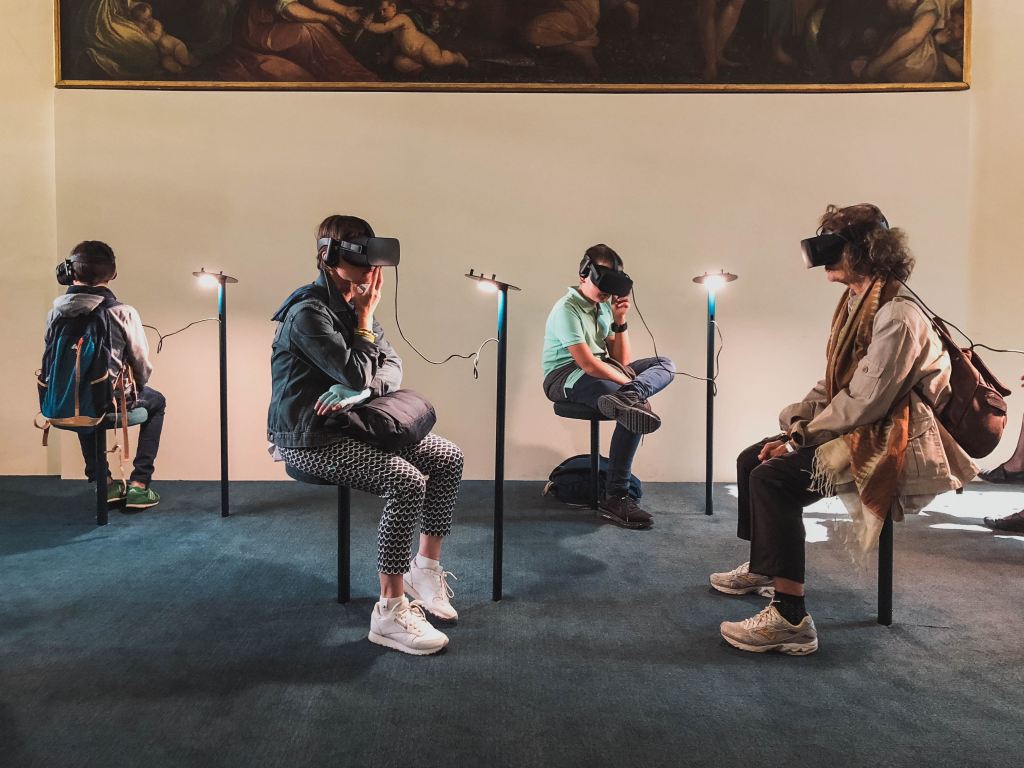
Virtual reality [VR] is an element of Web 3.0. VR replicates a 3D environment to create a sensory experience for users through the use of electronic equipment such as VR headsets and headphones (Oyelude, 2017). Libraries can utilise VR for educational purposes (such as storytelling, research and training programs), travel experiences (Oyelude, 2017) and team-building (Pope, 2018). For example, VR helps patrons develop new skills such as driving (Oyelude, 2017) and public speaking. Toronto Public Library (2020) runs a VR program where users can “experience an underwater adventure.”

VR provides new learning opportunities as users interact with a new environment in a safe library setting. However, libraries offering VR services face a number of barriers. For instance, the legalities around VR are unclear, including: the content of the VR experience and the behaviour taken by users during the VR service (Oyelude, 2017). It is also important to note that there is a risk of sickness and injury during a VR activity (Pope, 2018). Thus, libraries must safeguard themselves by obtaining signed consent forms and ensuring users meet the minimum age requirements for use of VR technologies. For instance, a digital VR consent form at Guelph Public Library (2020) asks the user to confirm they are over the age of 13. Other barriers to VR services in libraries include high costs, damaged equipment, lack of staff experience and difficulties training users on VR technologies (Pope, 2018).  

References

Guelph Public Library. (2020). Virtual Reality Consent. Retrieved from https://forms.guelphpl.ca/Virtual-Reality-Consent-Form

Oyelude, A.A. (2017). Virtual and augmented reality in libraries and the education sector. Library Hi Tech News, 34(4), 1-4. Retrieved from https://www-emerald-com.access.library.unisa.edu.au/insight/content/doi/10.1108/LHTN-04-2017-0019/full/pdf?title=virtual-and-augmented-reality-in-libraries-and-the-education-sector

Pope, H. (2018). Incorporating Virtual and Augmented Reality in Libraries. Library Technology Reports, 54(6), 8-11. Retrieved from https://search-proquest-com.access.library.unisa.edu.au/docview/2099868562/fulltextPDF/F0F63705E1084BD7PQ/1?accountid=14649

Toronto Public Library. (2020). Virtual Reality. Retrieved from https://www.torontopubliclibrary.ca/detail.jsp?Entt=RDMEVT440523&R=EVT440523

Image Attribution

Carnelos, L, ‘Four person playing virtual reality goggles’, CC0 Licence (https://unsplash.com/license), Image Source: Unsplash (https://unsplash.com/photos/IMUwe-p1yqs)

Week 3: Security

Photo by Bernard Hermant on Unsplash

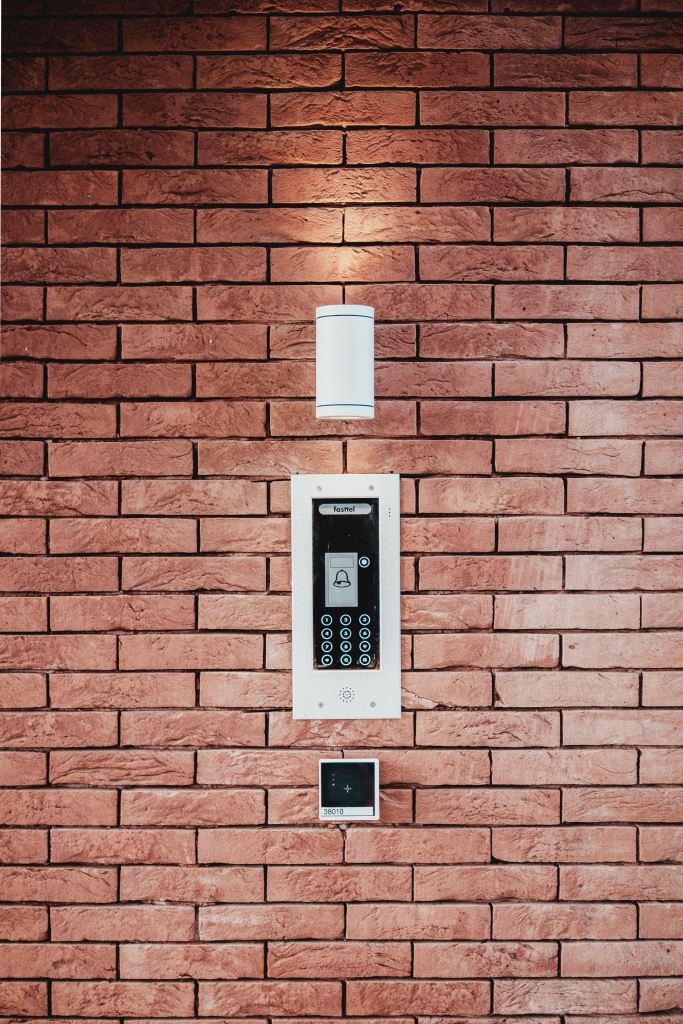
Foster Public Library in Victoria recently introduced 24/7 unstaffed library access to participating patrons using a swipe key to enter the building (Maunder, 2019). Members are required to undertake a health and safety induction, as well as training that enables them to check out items unassisted (Maunder, 2019). However, while this service provides flexibility and convenience to the patrons who require afterhours access, there are a number of security implications for the library. Libraries that implement unsupervised access increase their risk of collection damage, crime, unauthorised access and liabilities resulting from emergencies and disasters. This service runs the risk of collection items being damaged, lost or stolen (either purposely or inadvertently) due to human or system error during the checkout process. In fact, even staffed 24/7 libraries face security implications with concerns about crime, emergencies and the safety of their collections, facilities and patrons (Sewell, 2013, p.17).

While the presence of security cameras (Maunder, 2019) may mitigate the risk of intentional theft/vandalism, or at the very least help identify a perpetrator, these measures do not stop unlawful behaviour or access. For instance, one patron could swipe their card and hold the door open for others to enter. Those who enter without swiping their card are unauthorised to enter the building, regardless of whether they are participating members or not. This also makes it impossible for the library to track user activity as there are no digital records of these patrons entering the library.

References

Maunder, S. (2019, December 20). First library in Victoria to open 24 hours a day, seven days a week has town buzzing. ABC Gippsland. Retrieved from https://www.abc.net.au/news/2019-12-27/foster-library-first-in-victoria-to-open-24-hours-a-day/11777696

Sewell, B. B. (2013). 24-Hour Access: Responding to Students’ Need for Late Library Hours at the University of Denver. Journal of Access Services, 10(1), 14–27. Retrieved from https://doi.org/10.1080/15367967.2013.738390

Image Attribution

Bernard Hermant, ‘Black and white wall sconce’, CC0 Licence (https://unsplash.com/license), Image Source: Unsplash (https://unsplash.com/photos/Hd0m_5-OyCw)

Week 2: Networks and Internet Technologies

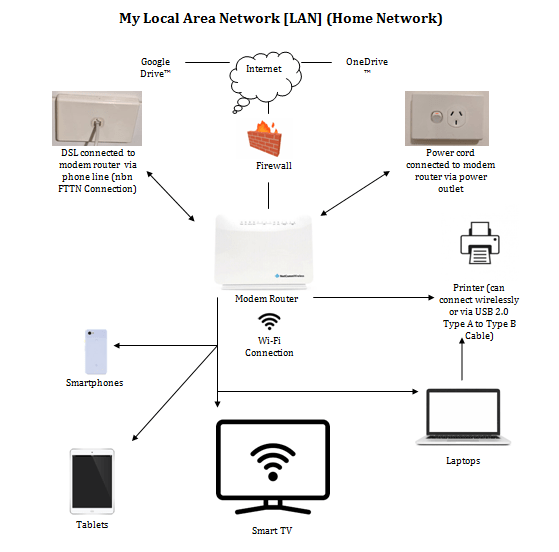
My personal home network is essentially a Small Office/Home Office [SOHO] wireless network that utilises the Local Area Network [LAN]. On this network we use smartphones, laptops, tablets, printer/scanner and a Smart TV. The router, switch and access point are all integrated into one device, namely the modem router (as depicted above). The digital subscriber line [DSL] is connected from the modem router to the phone line (Scheeren, 2015, p. 58) in order to access the nbn™ (2020) broadband network via the Fibre to the Node [FTTN] connection.

This network follows a star typology with all devices, or nodes, connected to a central device (Scheeren, 2015, p. 54). There are a number of advantages of this model as information is disseminated quickly and effectively, network performance is not impacted by the failure of one node, and network issues can be easily investigated (Scheeren, 2015, p. 54). However, one major disadvantage is that all nodes are dependent on the server, meaning that all devices will go down if the central switch fails. Unfortunately, since we do not have a backup generator, when the power goes out, so does our connection. As such, we frequently backup our files onto an external hard drive or servers such as Google Drive or OneDrive so they are accessible on a mobile network if required.

The modem router has the ability to connect an Ethernet cable and landline telephone, however we are not utilising these features at this time. Two adults regularly use this network; although performance has not been impacted when additional devices (visitors) connect. Currently, we are on an unlimited data (nbn 100/20Mbps) plan and overall we have found this exceeds our internet and streaming needs as a family of two.

References

nbn™. (2020). Retrieved from https://www.nbnco.com.au/learn/network-technology/fibre-to-the-node-explained-fttn

Scheeren, W. O. (2015). Networks, Hardware, and Software for School Libraries. In Technology Handbook for School Librarians (pp. 45-79). Portsmouth: ABC-CLIO.

Week 1: A little about me…

Hi everyone and welcome to my blog!

My name is Rhiannon and I am an external student from Perth studying a Master of Information Management. I am currently coming up to the end of my first year of study at the University of South Australia.

In 2012 I completed a Bachelor of Arts with Honours in English and anthropology and a minor in classics and have dappled in educational studies in recent years. Presently, I am not working in the library sector but have gained valuable experience as a volunteer at two local libraries. During my time at the Western Australian Museum [WAM] collection library I had the privilege of handling some super old/rare books and even discovered a passion for cataloguing!

I am married with a baby boy on the way (so excited!) I love the outdoors and try to get outside whenever I can. Hiking, camping, swimming and of course reading are some of my favourite pastimes. Over the last few years I have travelled quite a bit, including a number of trips back to Canada, which is where I am originally from.

Hiking in New Zealand on the Routeburn Track

Design a site like this with WordPress.com
Get started